If your computer is connected to the internet via wi-fi, TaxSlayer Pro will experience network-related problems if your network profile is public rather than private. If you're seeing network-related errors in TaxSlayer Pro, check to see if your profile needs adjusting as follows:
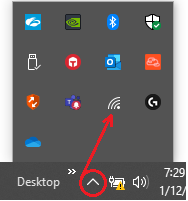
1. In the Windows tray at the bottom right of the desktop, click the upward pointer (circled) to reveal the hidden icons. The wi-fi icon is a dot with three radiating arcs:
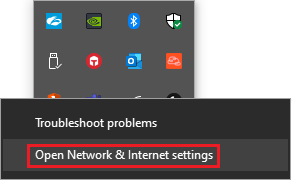
2. Right-click the wi-fi icon and choose Open Network & Internet settings:
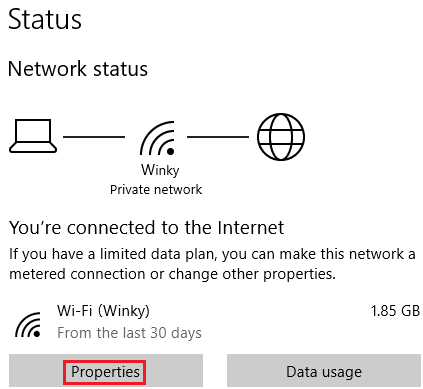
3. In the Status window that opens, choose Properties:
4. Select Private if it's set to Public:
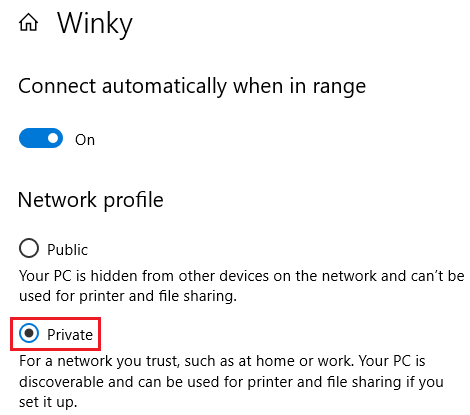
If Private is already selected, then there is another reason you are experiencing network errors. Call TaxSlayer Pro support for further assistance at 706.868.0985.